AI-powered gym management software
Never miss a renewal againFull calendars. Trainers paid right.Every spot booked. Every pack renewed.
Renewals, dues, check-ins, classes and personal training on one screen, with a branded member app and a branded trainer app in your gym's name.Packages, the session calendar, programmes, diets and trainer payouts, without the check-in desk and memberships a studio doesn't need.Timetable, capacity and waitlists, class packs and memberships. Members book a spot from an app in your studio's name.
The product
Everything a gym runs on, nothing it doesn'tBuilt around sessions, not membershipsBuilt around the timetable
Pick your business type and the software rearranges itself. Every screen here is the real product.
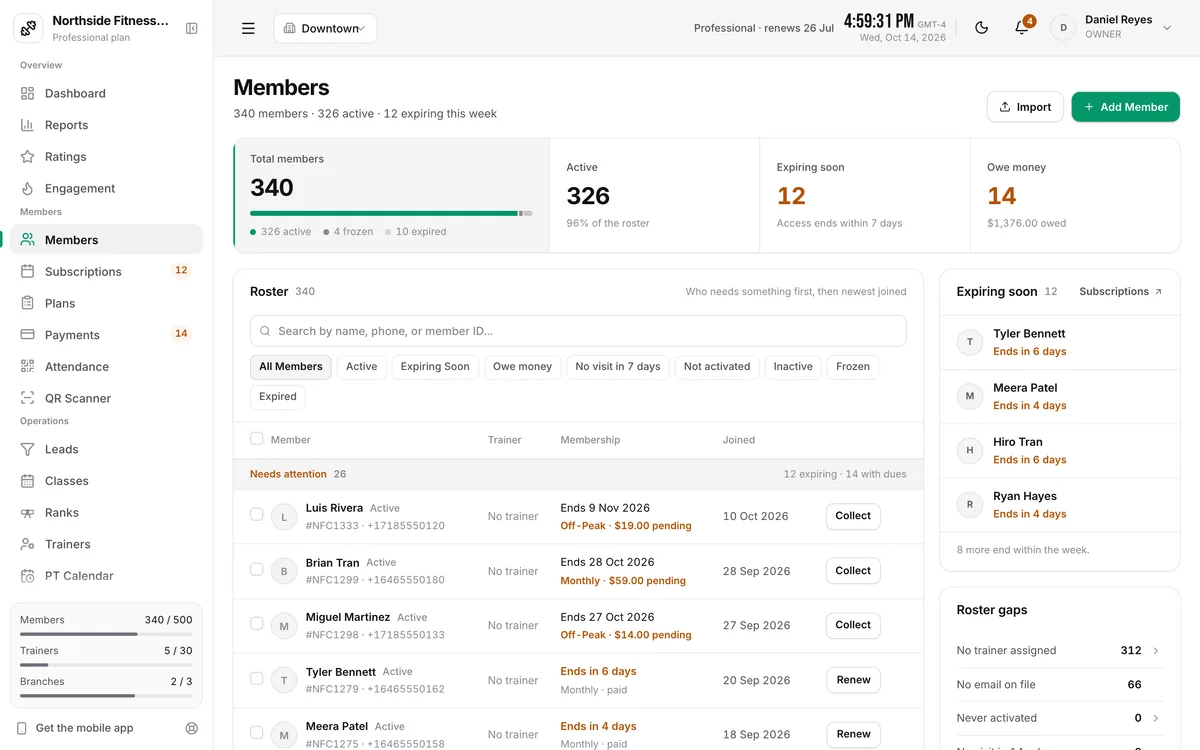
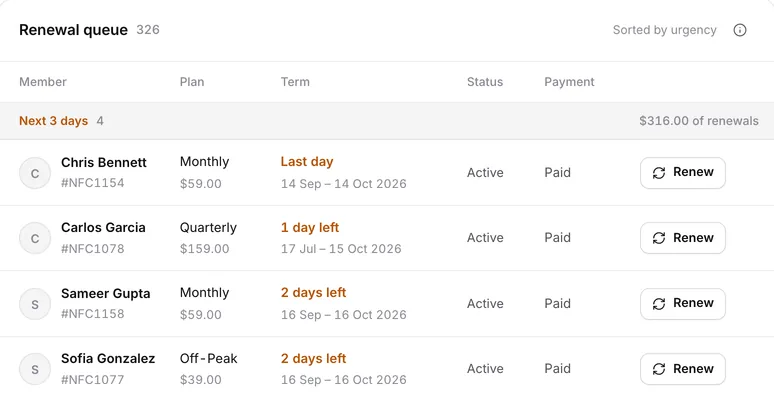
See every renewal before it lapses
The renewal queue sorts members by when their plan ends, with the money behind each group and Renew right on the row.
- Next three days, later this week, then the rest
- Renewal reminders from your own WhatsApp Business number
Know who owes what, and collect it
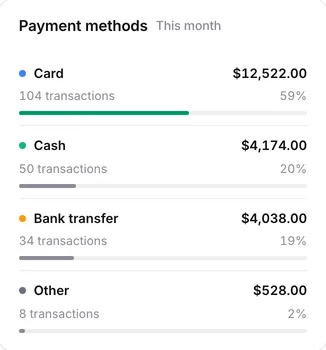
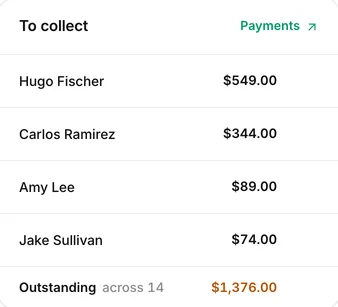
Record cash, card or bank transfer at the desk, or let members pay from the app through Stripe, Razorpay or Nomod. Invoices go out on their own.
- Outstanding dues on one list
- Every payment method, split and totalled
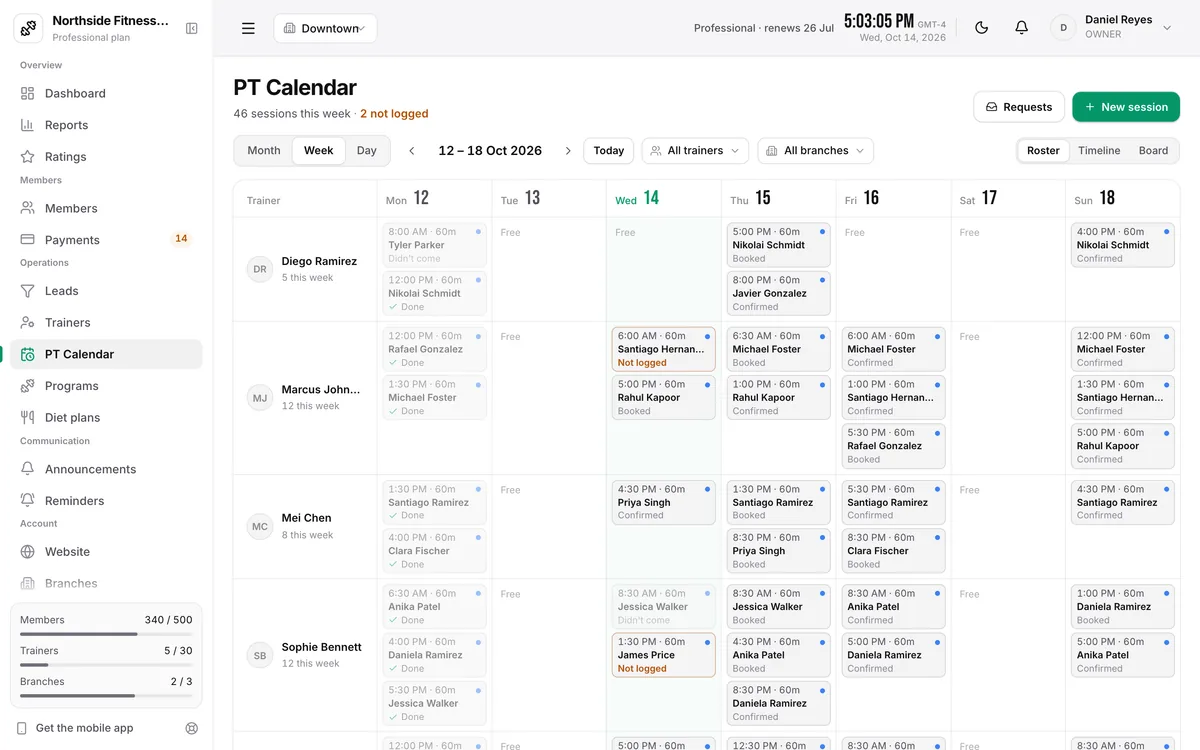
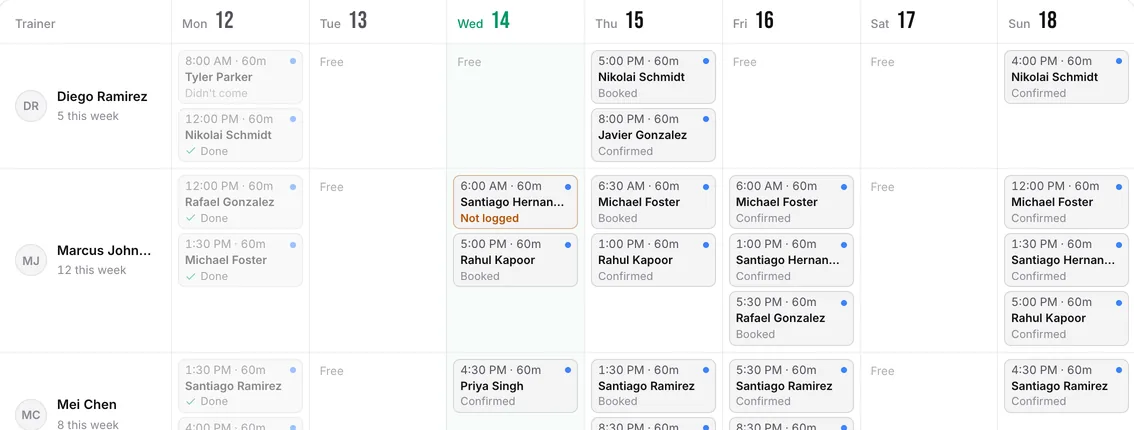
Every trainer's week on one screen
Book, move and mark sessions for each trainer. Packages count down on their own, and clients confirm their next session from the app.
- Single sessions, weekly slots and packages
- Done, cancelled and no-shows tracked per session
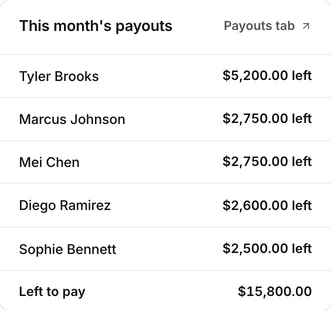
Trainer pay, worked out for you
Set base salary, per-session rates or a revenue share for each trainer. Every month you see what each one is owed and what's already been paid.
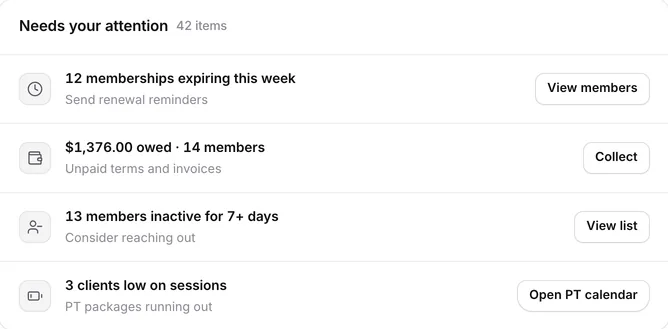
- Clients running low on sessions flagged on your dashboard
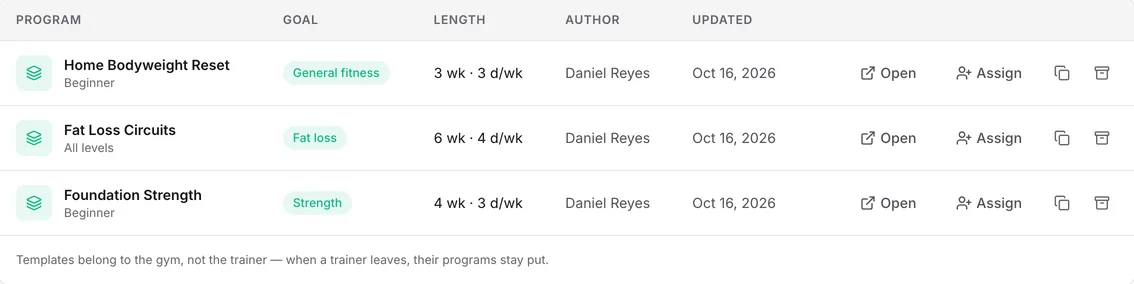
Build a programme once, assign it to anyone
Each client gets their own copy to adjust, and logs every set in the app. Templates belong to the studio, so they stay when a trainer leaves.
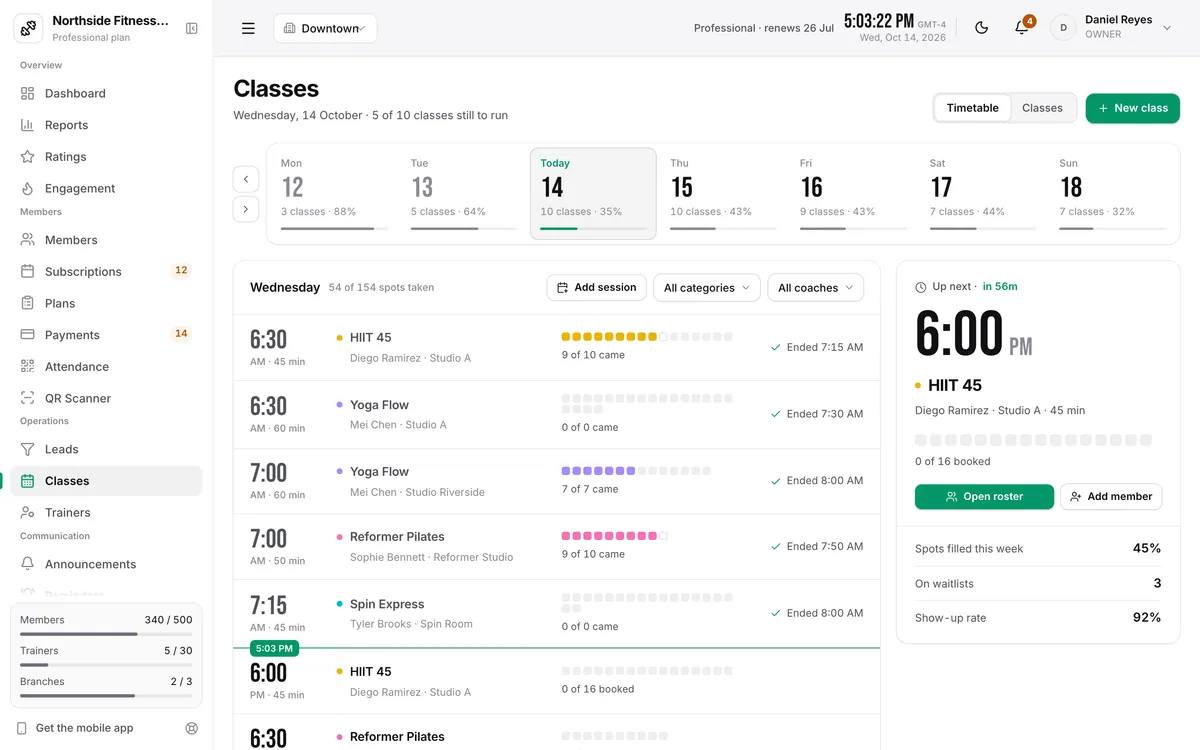
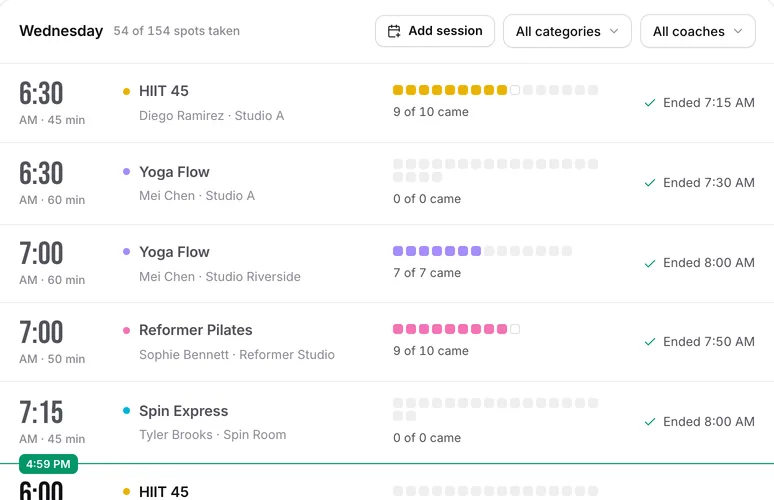
A timetable that fills itself
Recurring classes with capacity and waitlists. Members book a spot from the app, and you see who's coming before the doors open.
- Class packs and memberships
- Instructors take attendance from their app
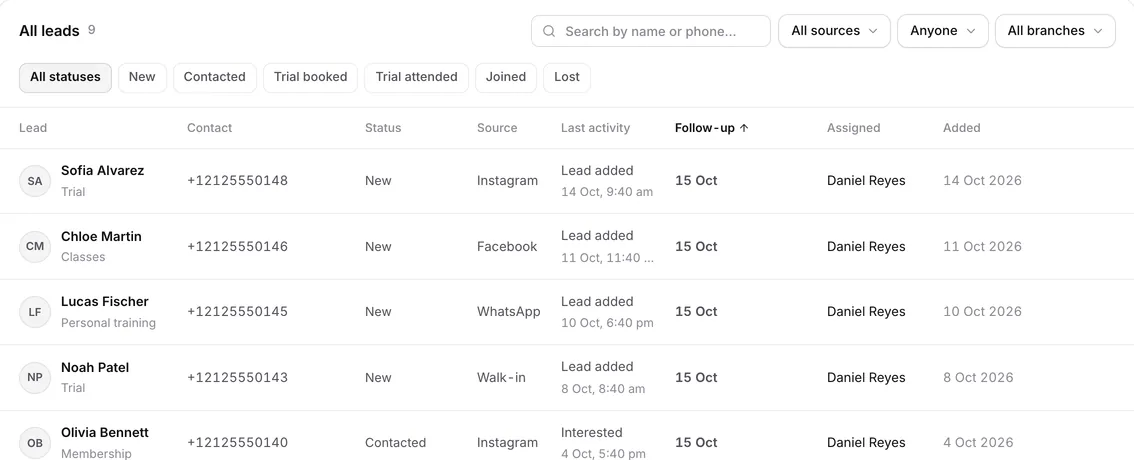
Enquiries that don't go cold
Log every walk-in, call and Instagram or WhatsApp enquiry in one pipeline, with today's follow-ups at the top and each lead's source on the row.
Check-in
A QR poster at the desk, or a finger or face on your eSSL or ZKTeco device.
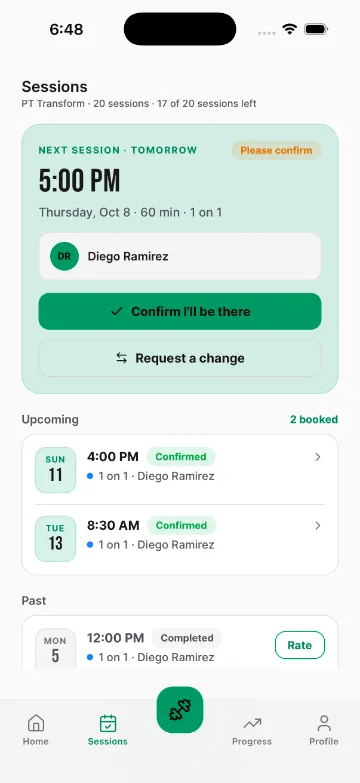
Session confirmations
Clients confirm or ask to move a session from the app.
Session ratings
Members rate classes and PT sessions; you see the trend.
Multi-branch
Every location under one login, with each branch's numbers.
Reports
Revenue, retention and peak hours, exported in a click.
Your gym's page
A public page with your plans and timetable.
Roles
Owners, admins and front desk each see what they should.
Owner, member and trainer apps
Three apps, one for each of you
Run the gym from your phone with the owner app. Members and trainers get theirs in your gym's name and colour. All three on iPhone and Android, on every plan.
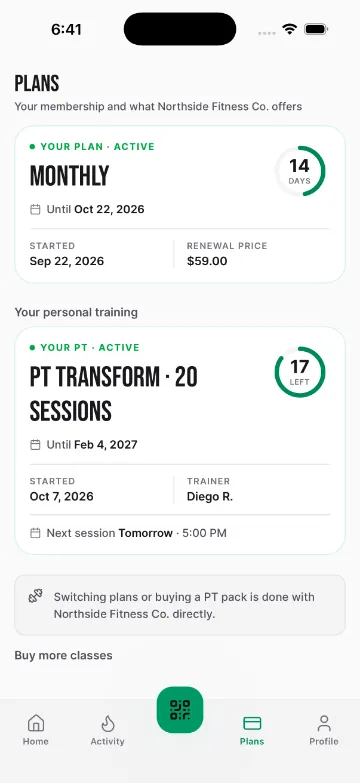
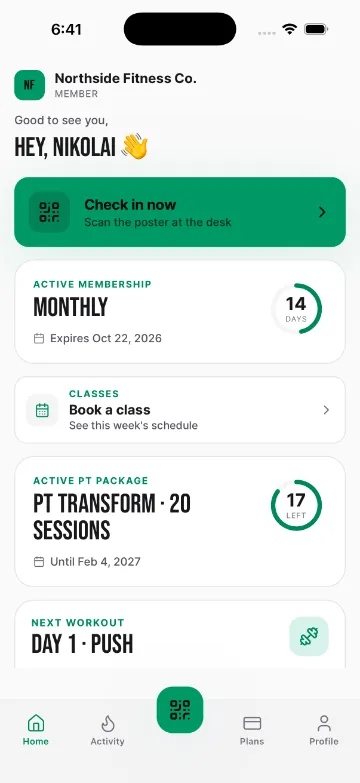
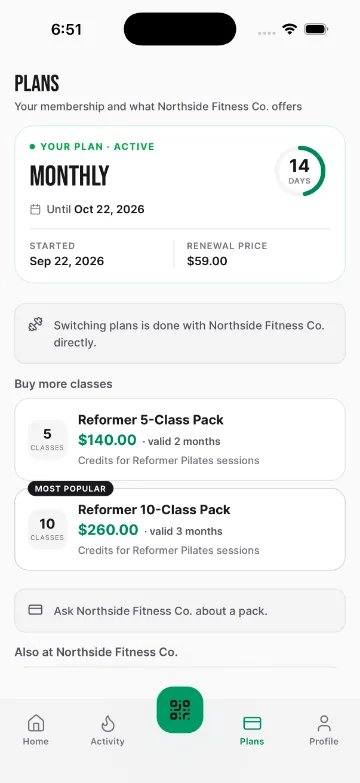
Plans and dues
Days left, sessions left and what's owed, always to hand.
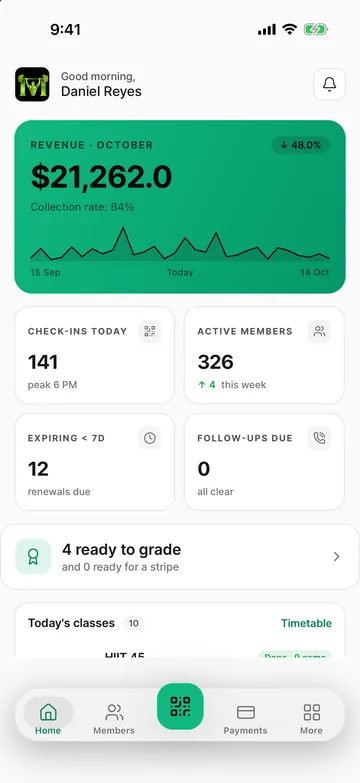
Your gym, from your phone
Revenue, check-ins and renewals due, with QR check-in one tap away.
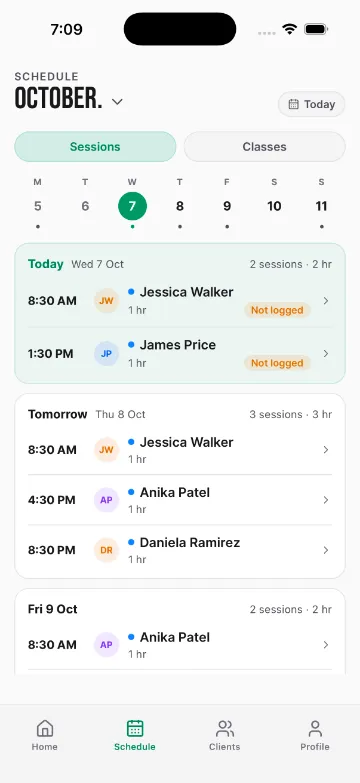
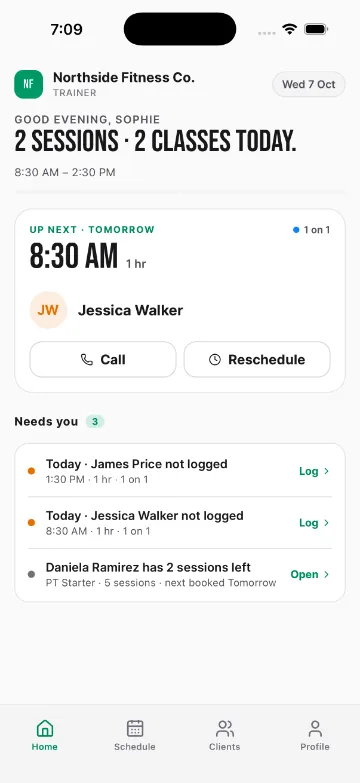
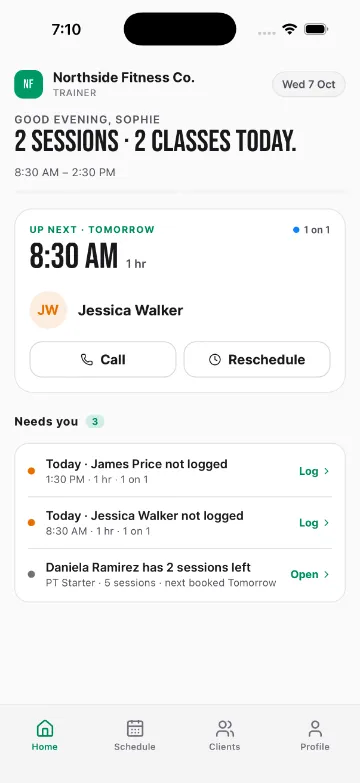
Trainer schedule
Trainers run their day and log sessions from the floor.
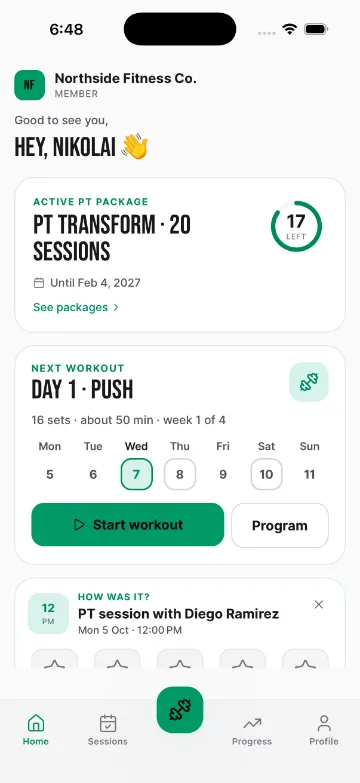
Sessions left
Clients always know where their package stands.
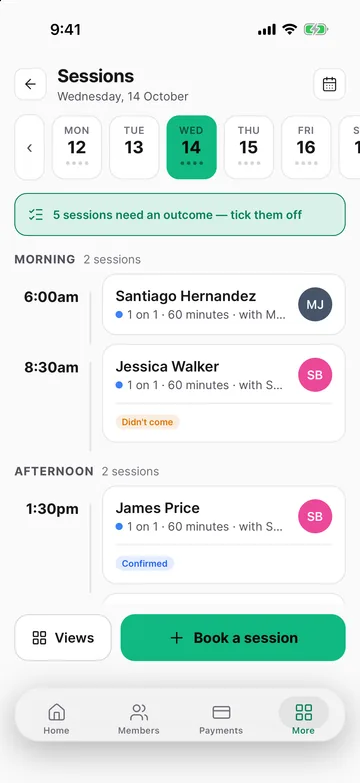
Every session, on the go
Book, move and mark sessions for any trainer from your phone.
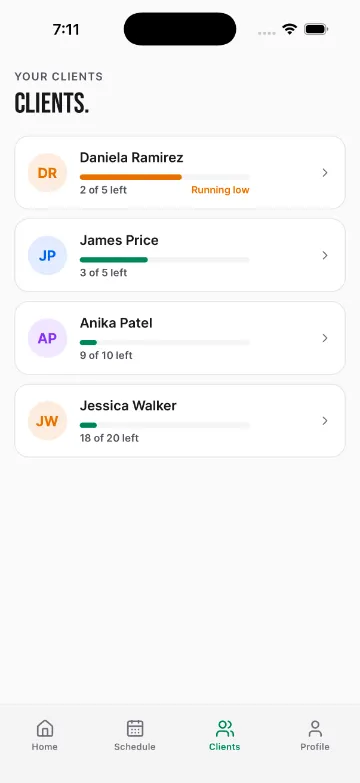
Trainer roster
Who's running low, before the package runs out.
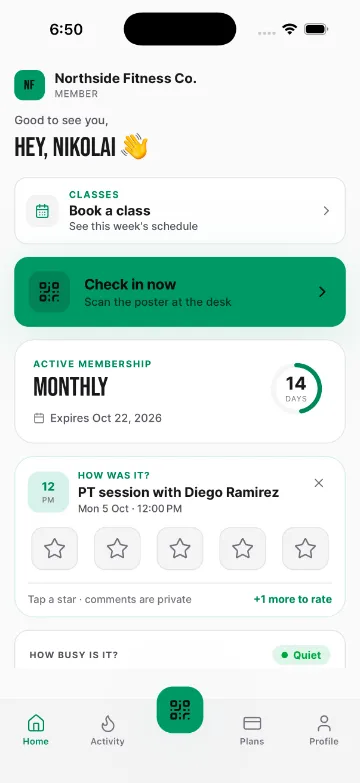
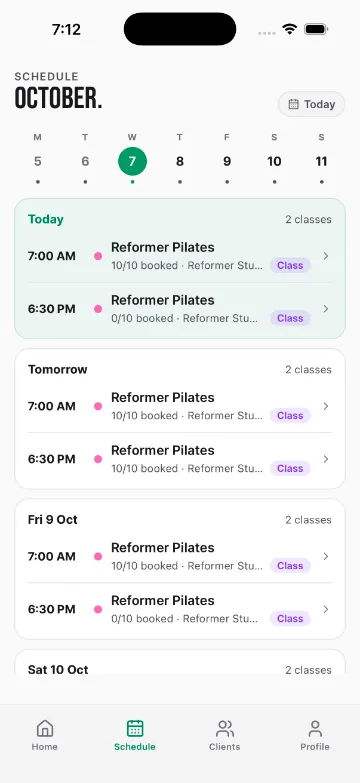
Book a class
This week's schedule, a tap away.
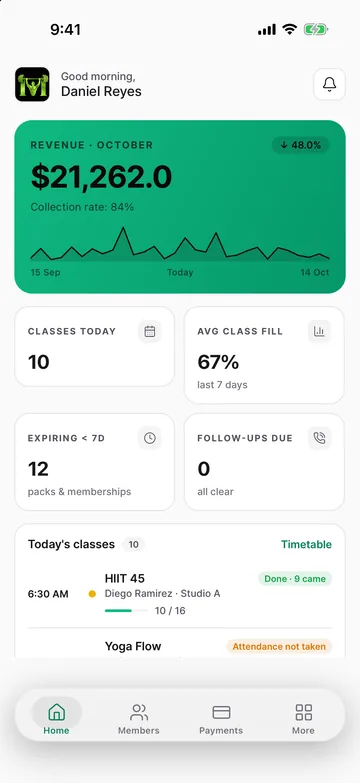
Today at a glance
Classes today, how full they are and which packs are running out.
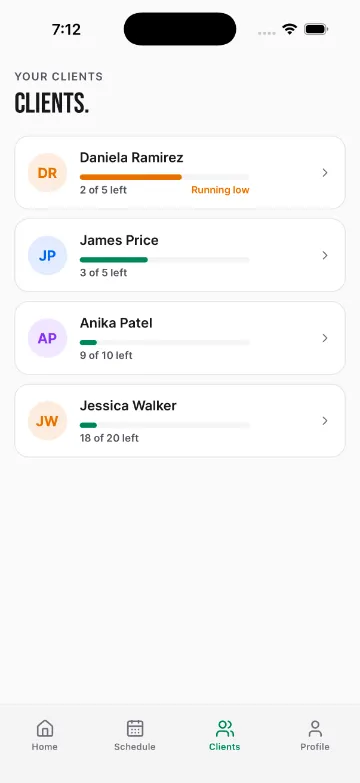
Instructor roster
Their classes, their clients, attendance in a tap.
Solutions
Made for the way you train
Each kind of business gets its own setup, its own words and its own page.
Gyms
Memberships, check-in, classes and PT on one member record.
See how it works →Personal training studios
Packages, the session calendar and trainer pay, without a check-in desk.
See how it works →Pilates studios
Capacity-capped classes, reformer spot booking and class packs.
See how it works →Yoga studios
Batches with waitlists, memberships and drop-in credits.
See how it works →CrossFit boxes
Class timetable, memberships and coach schedules in one place.
See how it works →Boutique studios
Premium classes and packs, with an app in your studio's name.
See how it works →AI assistant
An assistant that does the work, not just the talking
Ask in plain English and it answers from your own data. Ask it to change something and it lines the change up for you to confirm.
Nothing changes until you tap Confirm. Every change it makes is listed under Changes made with AI, and each person only reaches what their role allows.
Move Jessica's 8:30 tomorrow to the evening, same trainer.
Sophie is free at 5:00 PM and 6:30 PM tomorrow. Here's 5:00 PM:
- Client
- Jessica Walker
- Trainer
- Sophie Bennett
- When
Thu 8 Oct, 8:30 AM→ Thu 8 Oct, 5:00 PM
Add a Reformer Pilates class on Saturdays at 11, ten spots, with Sophie.
Here's the class to add:
- Class
- Reformer Pilates
- When
- Saturdays, 11:00 AM · 50 min
- Instructor
- Sophie Bennett
- Capacity
- 10 spots
Integrations
Plugs into what you already use
Payments land in your own account, reminders go out from your own number, and members scan in on the device you already have.
Members pay dues and packages by card from the app, paid out to your own Stripe account.
UPI, cards and netbanking for members in India, through your own Razorpay account.
Card payments for gyms in the UAE and beyond, settled to your Nomod account.
Connect your own number, so renewal and dues reminders come from your gym.
Run your gym from Claude: ask questions and make changes, with the same confirm step.
Members check in with a finger or face on your existing device. We add and pause them for you.
Security
Built to be trusted with your members
Switching over
Switching from another system?
Most gyms move over in an afternoon, and your members never have to fill in a form again.
Export your member list
From your current software or spreadsheet, as a CSV or Excel file. Or start from our template.
Import it in one go
Up to 1,000 members per file: names, phones, emails, emergency contacts, goals and health notes. Any row with a problem is flagged by its row number.
Add your plans and hand out your gym code
Set up your plans and prices, put members on them, then share your code. Members and trainers sign in with a one-time code. No passwords.
Pricing
Priced by size, not per member
All three apps on every plan. No setup fee, cancel anytime.
Starter
For small gyms getting started
- Up to 150 members
- Single branch
- Up to 10 trainers
- Owner, member and trainer apps
- Attendance, payments, classes, PT and programmes
- WhatsApp, SMS and email reminders
- Email support
Professional
For growing gyms that need more
- Up to 500 members
- Up to 3 branches
- Up to 30 trainers
- Everything in Starter
- Advanced analytics and your public gym page
- Higher WhatsApp, SMS and email limits
- Priority WhatsApp support and an onboarding call
Enterprise
For gym chains and franchises
- Unlimited members
- Unlimited branches
- Unlimited trainers
- Everything in Professional
- White-glove data migration
- Dedicated WhatsApp support group
- Dedicated account manager and staff training
Every plan starts with a 14-day free trial. No card required.
FAQ
Questions owners ask first
How long does setup take?
Most gyms are running within an afternoon: create the gym, add your plans, import your members from a spreadsheet and share your gym code with members and trainers.
I run a PT studio. Do I have to use memberships and check-in?
No. Tell us you run a PT studio and we set your account up for one: memberships, attendance and classes are hidden from your dashboard, the client app and the trainer app. Need one of them later? Ask and we switch it on.
Can the AI assistant change things without me?
No. It shows you the exact change and waits for you to confirm. Every change it makes is listed under Changes made with AI, and it can only reach what the signed-in person's role allows.
How do members pay?
Record cash, card and bank transfers at the desk, or connect Stripe, Razorpay or Nomod so members pay dues from the app, straight to your account.
Are the member and trainer apps in my gym's name?
Yes. Members and trainers see your gym's name, logo and colour from the moment they enter your gym code.
Is my data secure?
Your data is encrypted in transit, backed up daily and visible only to the staff you give access to, each seeing what their role allows.
See it with your own gym
Book a 20‑minute demo
Pick a day and a time that suits you. We'll confirm by WhatsApp or email and walk you through it with your kind of business set up.